Categories
Health

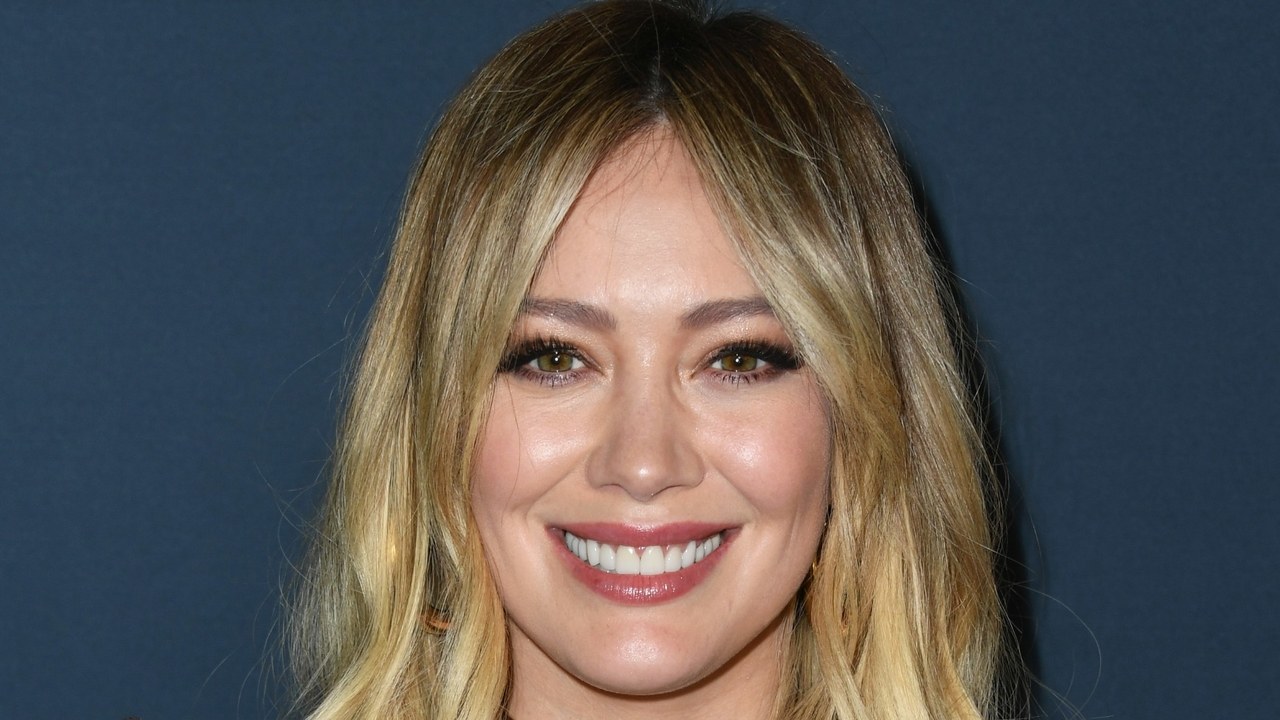
Hilary Duff Will Feed Her Daughter Any Damn Way She Wants, Thanks


Hilary Duff recently had a debate with her son, Luca. “He was like, ‘Boys are stronger than girls,'” Duff tells Glamour. “And I was like, ‘You’re wrong.’ And he was like, ‘Well their muscles are bigger.’ And I was like, ‘Men can’t do what women can do. We’re stronger. Eternally stronger. And it’s true.'”

Duff knows a thing or two about strength. On October 25, she gave birth to her second child (a baby girl named Banks Violet Bair). By March she was back on set, filming the sixth season of her hit show, Younger. While she considers the cast to be like family, spending 16 hours a day playing powerhouse publishing exec Kelsey Peters—and running around in Peters’ signature power looks and sky-high heels—would be grueling for anyone, let alone someone five months postpartum. But with the season premiering on TV Land on Wednesday evening, Duff got it done.

“Coming back from work so soon after having a baby is so hard, and I think women are the strongest working people out there,” Duff says. There are also a lot of logistics that go into balancing a full work schedule with caring for a newborn—and it was no different on the set of Younger. “I’m still nursing Banks. I’m getting to the tail end of like, ‘I can’t do this anymore, something’s gotta give!’ Pumping at work, bringing her to a nursing session, and juggling our 16-hour days. It’s fucking crazy.”

This unabashed honesty about motherhood—from opening up about having a “hard as hell” pregnancy, or getting real about breastfeeding—has become a signature of Duff’s, particularly on social media. In recent months Duff’s Instagram has gone viral for a recreation of Rachel McAdams’ breast-pumping photo shoot (in Duff’s version she accessorized with a shower cap that was nothing short of iconic), and has been flooded with photos of baby Banks. But for every woman who feels seen by Duff’s essay-length captions on pumping, or less alone when scrolling past a photo of Duff cradling her sick infant, there are those who object to her candor. You know the type: Internet mom-shamers who prefer perfect, filtered baby pictures to those that actually depict the realities of life with a newborn—and feel entitled to sharing their opinions with the world.

“I just saw a comment on my Instagram that was like, ‘Were you feeding your child solids while she was laying down?'” Duff says. “I’m like you know what, I’m going to feed my daughter how I want to feed my daughter. And if that’s laying down, or hanging upside down because it works for her, we’re gonna do it.” And this isn’t the first time Duff has received this type of feedback. In the past she was criticized for posting a photo of herself kissing her son on the lips, who was only 3 years old at the time. And while the rampant mommy-shaming stars like Duff are subjected to on social media can be irritating, Duff takes the high road, and leaves the clapping back to her friends. One of whom will, “go in so hard, he’s so sarcastic, I love it,” she says.

Because as Duff taught her son, women are eternally strong, and she’s far from an exception. Whether it’s balancing her shoot schedule with nursing, silencing the haters, or showcasing the darker underbelly of parenting on the ‘gram, Duff’s got this whole motherhood thing down. No matter what they might say in her comments.


Source link

Categories
Health

KiraKira: All About the Sparkle Filter Taking Over Your Instagram Feed


Has your Instagram feed been looking suspiciously sparklier lately? No, you’re not experiencing delayed eye damage from #SolarEclipse2017, it’s the latest video app that’s taking the fashion and beauty worlds by storm (er, sparkle). Kirakira+, an app created by Japanese developer Kentaro Yama, enhances the shine of just about any object to a hypnotizing degree. It’s so addicting it’s become its own verb around the halls of Glamour HQ: Those sequin shoes? I have to Kirakira them! I love your glitter nail polish, can I KiraKira it? (I’m not not speaking from personal experience right now.)

Immediately upon downloading the app, the world becomes your shimmering oyster again and everything in sight is a dang pearl. Because it’s practically a girl-on-girl crime to keep a secret filter this great to yourself, here’s everything you need to know about KiraKira.

1. It’s been around since 2015
While the app has only recently resurfaced on social media, it’s technically been around for a couple of years now. We can’t pinpoint exactly when or how it came back with such a vengeance, but all signs point to London Fashion Week. (See Eva Chen’s sparkly boots above.) Word of mouth too, no doubt, has helped it catch like fire among editors, bloggers, and celebrities.

2. It has seven different filters
From clean, bright sparkles to multicolored shine on a black and white background, you’ve got options when it comes to your Kirakira personality. The seven filters include Twinkle, Airly, Color, Shine, Bling-bling, Blare, and the titular Kirakira itself. Similar to Snapchat, you swipe left and right to change the filter.

3. You can adjust the intensity of sparkle
Whether you’re going for in-your-face shine or a barely detectable glimmer, the amount of sparkle you want to show is completely up to you, thanks to a toolbar in the top right corner. I find that with objects that are already pretty light-reflective (sequin clothing, metallic jewelry), it’s better to tone the filter down a bit so it’s not too overwhelming. On finer, smaller surfaces that are harder to pick up light (think glittery lipstick or nail decals) it makes a big difference to add an extra boost. Natural light also helps and is particularly helpful when you’re filming forward-facing, so, for selfies.

4. You can now take both videos and photos.
While the app previously only worked in video mode, a recent update allows you to take still images as well, with both the front camera and in selfie-mode. The photos and videos you take immediately save to your camera roll, so don’t be confused if it seems like nothing happened after you stop recording. Unlike Instagram videos, there’s no need to hold down the button when you’re recording, so it’s easier film.

5. Turn on the flash for extra shine
While it works best on light-emitting objects, adding extra light can dramatically help the app pick up more sparkles. In the top right corner, you can turn on your phone’s flash to help spotlight your objects in a lower-light settings.

6. It does cost money
But only 99 cents! And it’s worth its weight in comments. At the moment, the app is only available on Apple’s App Store.

7. Creator Kentaro Yama has two other apps
A-HDR and AHDR2, which are two photo-editing apps that let you create an HDR-like images from a single photo. While we haven’t tried these for ourselves yet (also at 99 cents each), we can imagine they’re pretty promising if they’re anything like Kirakira. Hey Eva Chen, want to check them out and let us know? Thanks in advance.

Related Stories:
Why Are My Daughter’s Beauty Apps Othering Brown Girls?
This Secret Filter Makes Your Makeup Look Great in Selfies
John Legend Posted a No-Makeup, No-Filter Photo of Chrissy Teigen, World Swoons


Source link